Friday, March 16, 2018

Map Skills with Rufus

Each year, elementary schools across the nation read books from their state award list. While the lists vary from state to state, it's always fun to see what other states are reading and the activities that develop from those books. Pairing picture books is one of my favorite ways to incorporate tech F.U.N.*

Rufus Goes to Sea is on our Arkansas Diamond list this year, and it was one of the first books we read from our list. I cannot say enough amazing things about our tech lab teacher, Denise. Seriously. She never backs down from the crazy ideas I throw her way!

Image result for rufus goes to sea

In the story, Rufus decides he wants to join the crew of a pirate ship after discovering his school was out for the summer. We inferred that he had gotten off of the bus at the wrong stop. The other kids were getting off of the bus at Summer Camp. 

The pirate captain repeatedly tells Rufus that he doesn't have the right skill to join the crew. You'll discover the skill he needs is to be able to read! They needed a map reading pirate. After reading the book, students had the opportunity to explore maps, globes, and atlases. They really love the hands-on part of our map lessons each year.


~Bonus-the Chamber of Commerce gives me a box of local maps each year. Second graders all get their own copy. All other classes help locate our school on a local map. I don't have any particular rhyme or reason why I chose second grade to get a map.~


We often use technology after a library lesson to enhance tech F.U.N. skills.
Foundational
Useful
Needed
After reading Rufus Goes to Sea and exploring with print and physical maps, students explored digital maps. They first used Google Maps to search for places around the world. Then, they were able to switch to street view to find their house or the school. Students also used an interactive map maker to create their own map. 


Using and creating maps us always an exciting lesson for students. It's great to incorporate more traditional (printed) maps and newer digital maps.

Tuesday, March 13, 2018

Fun with Weave Silk

Students have fallen in love with the Interactive Generative Art site/app Weave Silk. The opening screen says it all.


Once you click into the website, the controls will open on the top left. You can click and drag from one color choice into another to create a blend of colors. Also, you can choose to have the silk spin toward the center, spiral inward, or both.


We have had some great conversations about symmetry, color blending, angles, and design. Students have loved creating art through technology.


Weave Silk also has an app for Android and Apple devices. They're a great way to incorporate technology in to art. 


Saturday, February 24, 2018

The Magician's Hat-Book Review

I got so excited when I saw this title in my book fair preview kit. The theme of this year's AAIM conference is Share the Magic. How perfect?


Author Malcolm Mitchell, of the New England Patriots, has written a beautiful story about the magic of reading. I love that the setting is a library. The Magician performs tricks for the audience whom have gathered for a family event.

He tells about a trip he made to the library when he was a little boy. During that particular trip, he found a book about magic! He begins to call boys and girls up to read into his hat for a surprise, each one pulling out a book of their chosen future career.

I loved that the story features different careers and that each child has found a book about that career! It is every teacher-librarian's dream.


Malcolm's love for reading and interest in advocating for childhood literacy has led to the development of Read with Malcolm.

"The mission of Read with Malcolm is to transform the lives of young students through literacy. The organization’s goals are to introduce book ownership to students in households where reading is not a priority and to improve literacy in schools with below grade-level reading skills."
The Magician's Hat book release date is set for Monday February 26, 2018. Mr. Mitchell has a full calendar of release parties and book signing events.  Check below for the event schedule copied from the Read with Malcolm website. And be sure to add The Magician's Hat to your TBR list!


Visit Malcolm at a public event to purchase your own copy:
Sunday, February 25th at An Unlikely Story in Plainville, MA (Register Here)
Monday, February 26th at the Boston Harbor Hotel for our UGA and Friends Gathering in Boston, MA (Register Here)
Tuesday, February 27th at American Whiskey for our UGA and Friends Gathering in New York City (More Information) (RSVP)
Thursday, March 1st at Little Shop of Stories in Decatur, GA (Register Here) 
Saturday, March 3rd at The Story Shop in Monroe, GA (Register Here) 
Saturday, March 3rd at the UGA Bookstore in Athens, GA (More Information)

Friday, February 16, 2018

Virtual Library Tours


I love visiting school libraries. They're all so different. During a recent #ArkTLChat, someone brought up how they wished we could all do on-site visits to see how each person had their school library set up. I have had several school librarians in my area of Arkansas come visit my library to observe, and I have gone to others. But, there is no way humanly possible to visit every library in your PLN.

What's a librarian to do?

Virtual tours!!
Image result for flipgrid
Using Flipgrid, I've created a grid for Professional Development that I use when I host or teach sessions. I created a topic on the grid for Virtual Tours. We want to see your library. Show us what you're doing.


Do you have a problem space you need help re-configuring?
Not enough storage?
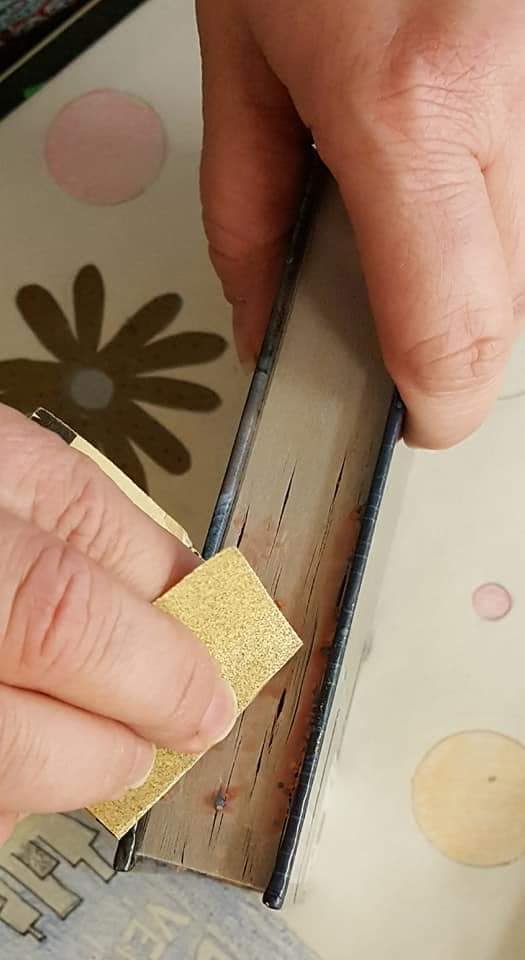
Do you have some awesome library hacks like this one you can share?


If you have never used Flipgrid, don't worry. It's super easy and super fun! And if you would like a *free* trial code to try out the classroom subscription, let me know. As an ambassador, I'll be more than happy to provide one to you. 

I use these awesome directions created by Claudio Zavala (@ClaudioZavalaJr). I love the simplicity of them and the images help guide the littles through the steps. 


Show us your library. We can't wait to visit!

Monday, February 12, 2018

The Power of Online Sharing


This is Rhianna. She's my daughter. :-)


We battle regularly about technology. Mostly how to create presentations. She's stuck in the slideshow mode. You get a slideshow! You get a slideshow! Everyone gets a slideshow.

I almost have to force her to use a different tool for presentations. Last year, she had to research a famous Arkansan and present the information to the class, including photographs. She chose Catherine Tharp Altvater. She chose to research Catherine because she loves art. If you follow me on Instagram or Twitter, you've probably seen a picture or few of her jewelry. Catherine Tharp Altvater was a painter, mostly watercolor.

Picture courtesy of askart.com

For her presentation, I showed Rhianna how to use PowToons. Since many of her teachers weren't using Google Classroom much at the time, I had her post her PowToons presentation to my YouTube channel for easy access. She was also able to quickly search for the video to share with classmates.

A few months ago, I received a Facebook message from someone asking about the presentation. It was Catherine's granddaughter! She saw the video and reached out to Rhianna. After messaging with me for some time, she offered to send Rhianna an original watercolor painted by her grandmother!


It was so cool to see how responsible sharing online could result in that connection!

Sunday, February 11, 2018

Hack the Library: Goo on book pages

If you aren't part of the #FutureReadyLibs Facebook page or another Professional Learning Network online, you should think about joining one of the many, many amazing PLNs out there. It's a great way to share, communicate, seek help, and find refuge with fellow school librarians who are in the same boat! If they're not in your boat, I guarantee they have a life line to throw you.

This weekend, as I was browsing posts and pictures, I noticed something weird. It looked like a gross glob of vomit or snot (honestly) stuck to a book. I thought "why in the world is this lady posting a picture of a book covered in vomit-snot". I had to investigate.


As it turns out, the book had fallen prey to Slime trend. You know that home-made goop from glue or contact solution and various other "household" materials? Jen M. Hash-Staley shared a rather awesome hack for removing goo from the edges of books. Not only would this work for slime, but I'm sure it would remove gum, candy, probably vomit-snot. Hopefully, nobody will need to use it on vomit-snot. Just cut your losses and toss that bad boy in the trash.


How about that? If you happen to have Jen in your PLN, be sure to give her a shout-out!

What other hacks do you use in your library? Share them in the comments!

Saturday, January 27, 2018

Adventures with Self Check-in

I just responded to a post on the Future Ready Libs Facebook page. A user posted a question about classroom teachers returning student books, and then at the end of the class students would come to the circulation desk and not know if their previous book had actually been returned.

I understand her frustration completely. Students forget. I forget. We all forget.

When I first began my journey teaching the littles (K-6), their established routine was to place the book they were returning on the circulation desk in stacks. That's fine if you can check them in quickly and reshelf them. Me? That's not happening. Getting books back on the shelf is the absolute last thing on my daily to-do list*. Books piled up. Students didn't know how many they had. They were sure they left their old one on the desk. Maybe someone in the library picked it up but hasn't checked out yet? It was driving me crazy.

I brought an old laundry basket to the library and created a return book basket. This was not a better approach. Not only were students still debating whether or not they had truly returned a book, books were getting damaged from being thrown into the basket (much like books through a book return slot-they don't automatically fall flatly and stack neatly).
Image result for laundry basket

Fast-forward a year and a half...
A teacher returned an iPad to the library that didn't have sound. After much inspection into it's settings, apps, everything under the sun...Denise (amazing co-teacher) tried to plug in her headphones to see if it would work. There was a headphone jack broken off into the iPad. The teacher didn't want the iPad back if it didn't have sound, so we kept it for use in the Media Center**.

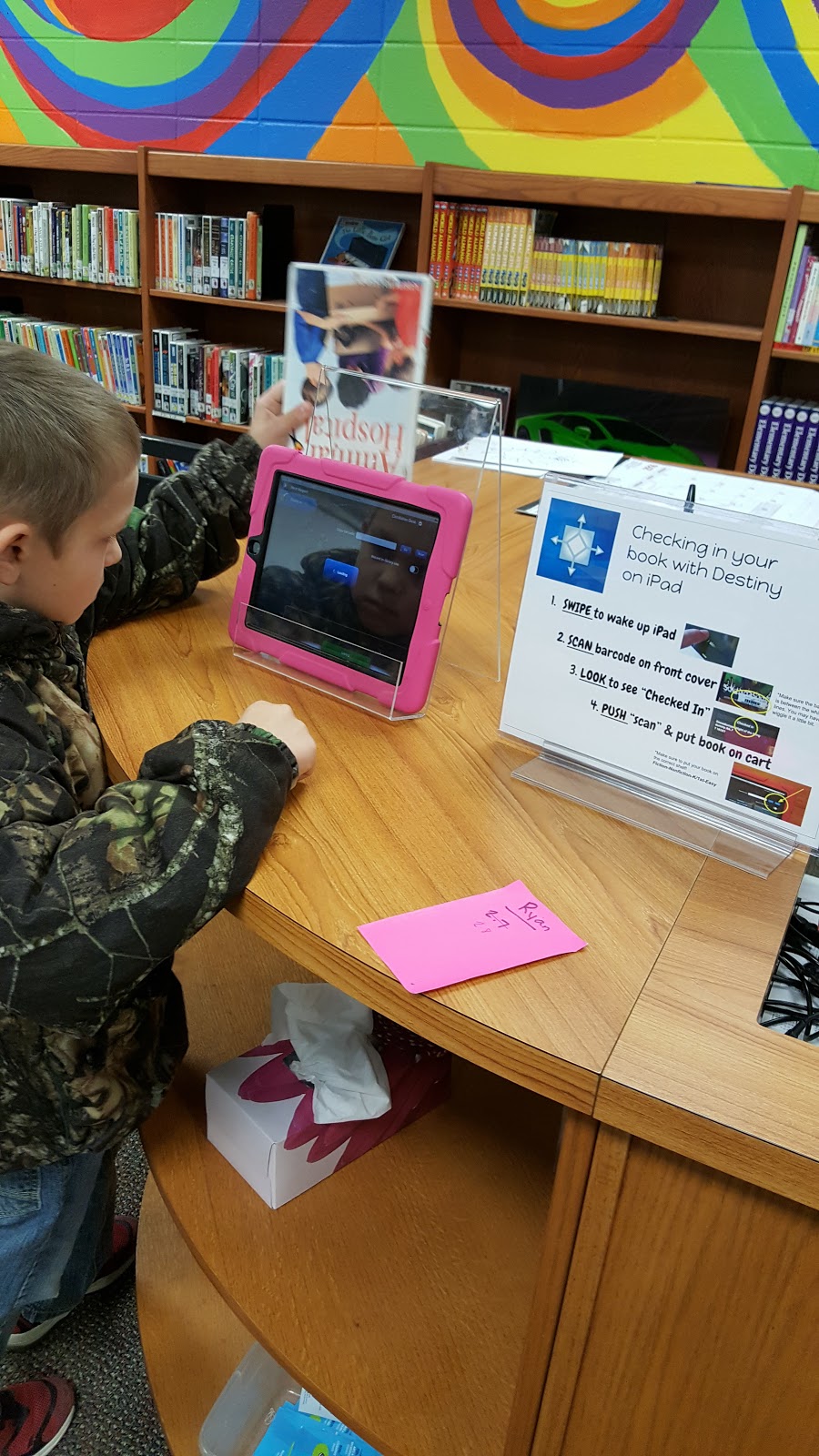
We used it for a while before I decided to download Destiny onto it for circulation***. I was so nervous to allow students to check in their own books. What if they messed up? What if they just couldn't do it? Could I relinquish my control over that part of circulation? It took about five minutes for me to decide it was worth it! Students had no problem using the system. I put the iPad on a book stand since I didn't have a stand or tripod for it.


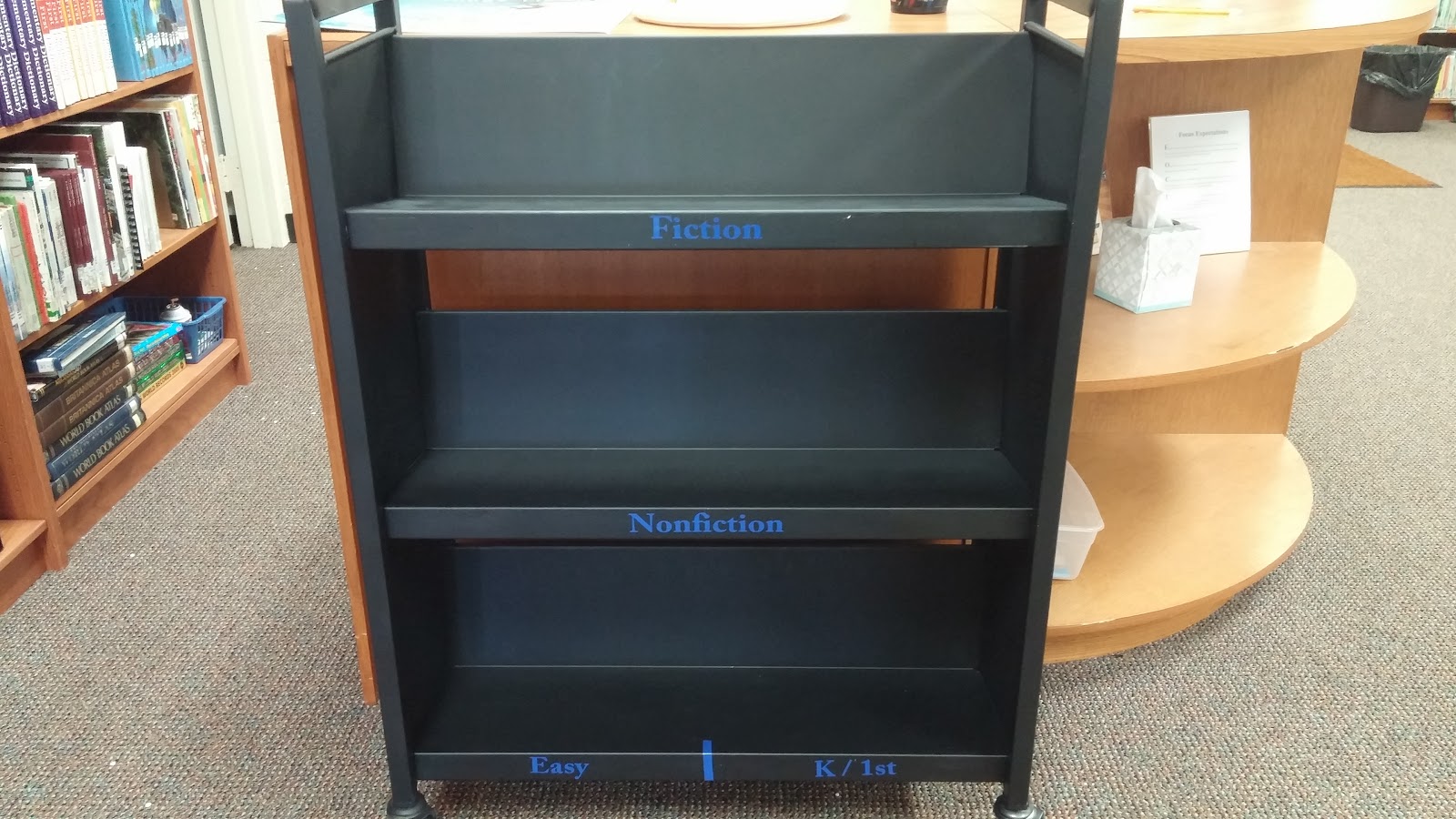
I spray painted one of our large three-shelf book trucks and cut labels for the shelves****. Each shelf has a section of the library, and students put their returned book onto the correct shelf. This helps the library tutors get the books put away more quickly, and it helps to reinforce call numbers, major sections of the library, and genre.


The Before...and After!

~Nonfiction has been changed to Dewey Decimal.~

 This system has worked wonderfully. When students check-out, if the computer says they still have a book or haven't returned one, I just ask them to go grab it off of the cart. Sometimes, they reply with "...well...." That tells me they didn't really return it. Most of the time, the book is on the cart. They have just scanned the ISBN barcode or the iPad didn't read the barcode correctly.

This week students made the comment about the vast amount of books that hadn't been returned to their shelf home. It was at a busy time so I loudly announced that if they knew FOR SURE where the book belonged, they could put it back after checking it in. Books cleared off of the cart quickly as students grabbed those in the series they were reading or if they knew where the book belonged.


*But seriously, though, who has time?
**Does anyone else hate the term Media Center?
***I also downloaded our Book Fair app, which makes restocking so easy!
****Ok, Michelle cut the vinyl. I just stuck it on the cart. We were working on the word wall.